
Anthropic's Claude AI can now directly control your computer, clicking and typing to complete tasks on your behalf. This new capability, while powerful, requires precise configuration to truly unlock its potential. Enter Claude Code Templates, a command-line interface (CLI) tool that provides a comprehensive, ready-to-use collection of AI agents, custom commands, and integrations to streamline how developers interact with and manage these advanced AI functionalities.
The tool acts as a central hub, offering over 100 pre-built components to enhance developer workflows with Claude Code. It simplifies the process of integrating Claude into development environments, allowing users to deploy specialized AI agents and automation hooks with minimal setup. Furthermore, Claude Code Templates includes robust monitoring features, providing real-time insights into AI-powered development sessions.
What Do Claude Code Templates Offer?
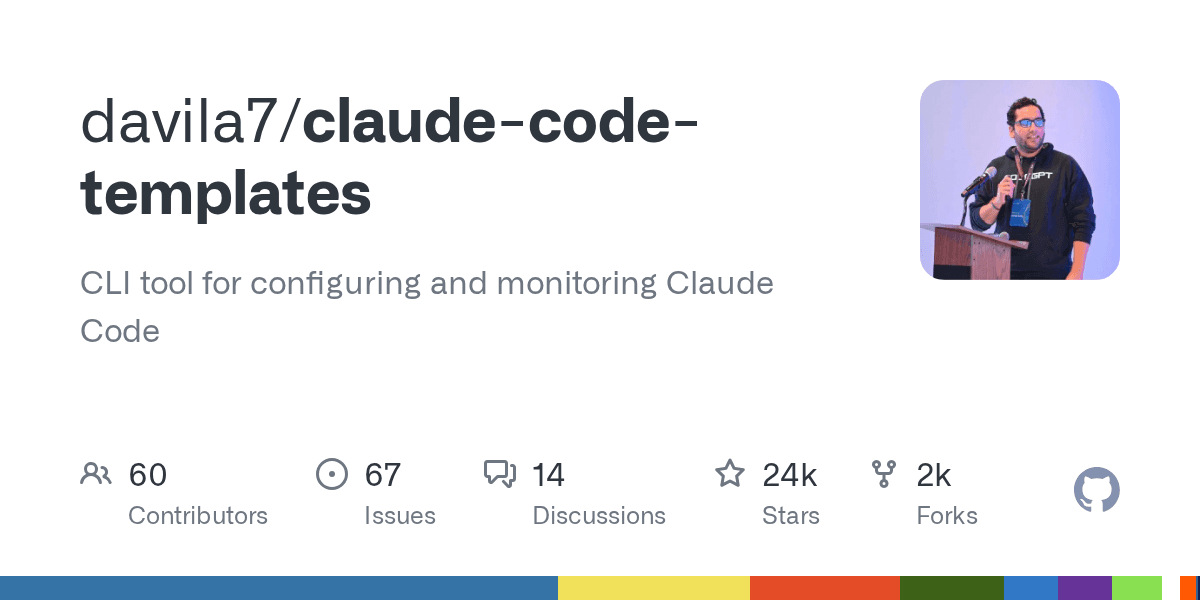
Imagine your AI assistant, Claude, as a brilliant but unorganized intern. Claude Code Templates gives that intern a meticulously organized binder of specialized instructions, tools, and workflows. It’s not just a collection; it's an operational framework that allows developers to effectively leverage Claude’s sophisticated capabilities, especially its new ability to interact directly with a computer's interface.The project, available on GitHub, boasts an impressive 23.6k stars and 2.3k forks, indicating strong community interest and adoption. This CLI tool simplifies what would otherwise be complex, manual configurations for integrating AI into daily development tasks. It helps bridge the gap between raw AI power and practical application, allowing developers to focus on building rather than endless setup.
Key Components for Enhanced AI Control
Claude Code Templates categorizes its offerings into several powerful components:Agents: These are specialized AI configurations designed for specific roles, such as a security auditor or a React performance optimizer. They empower Claude to act as an expert in various development domains.
Commands: Custom slash commands (e.g.,
/generate-tests,/optimize-bundle) allow developers to trigger complex AI actions with simple, intuitive inputs directly within their workflow.MCPs (External Integrations): Multi-Cloud Providers (MCPs) enable seamless integration with external services like GitHub, PostgreSQL, or AWS. This is critical for Claude to interact with real-world development tools.
Settings & Hooks: These provide fine-grained control over Claude Code's behavior, including timeouts, memory settings, and output styles. Hooks automate actions based on triggers, such as pre-commit validation in a Git workflow.
Why This Changes Developer Workflows
The landscape of AI-assisted development is rapidly evolving, with tools like Claude Code gaining the ability to directly interact with computer interfaces. This means Claude can "open files, use the browser, and run dev tools automatically". The power of `claude-code-templates` lies in its ability to harness this raw AI capability and make it practical and efficient for developers.Without such templates, developers would spend significant time configuring Claude for specific tasks or integrating it with various services. This tool provides a shortcut, allowing for quick installation of entire development stacks or specific components, drastically reducing setup time. The collection of ready-to-use agents and commands empowers developers to automate complex tasks, from generating tests to optimizing code bundles, directly through Claude.
Moreover, the monitoring tools embedded within Claude Code Templates offer crucial visibility into how the AI performs. Features like live state detection and performance metrics ensure developers can track and optimize Claude’s actions, making AI an accountable and integrated part of the development process. This project effectively transforms Claude from a powerful, but generic, AI into a highly specialized and controllable developer ally.
Analysis: The Claude Configuration Catalyst
The emergence of AI agents that can control local computer desktops marks a significant inflection point in software development. As Anthropic's Claude gains the capacity to navigate operating systems and applications, the need for structured, pre-configured workflows becomes paramount. `claude-code-templates` steps in as a vital component in this new era, acting as what we might call the "Claude Configuration Catalyst."This tool is not just about convenience; it's about enabling effective human-AI collaboration on a deeper level. By providing a curated and easily deployable set of AI agents and commands, it lowers the barrier to entry for leveraging advanced AI capabilities in production environments. Developers no longer need to build every integration from scratch; they can pull from a rich ecosystem, accelerating innovation and reducing cognitive load.
The project's emphasis on monitoring and analytics further underscores its importance. In a world where AI can execute tasks autonomously, understanding its performance, decisions, and interactions becomes critical. `claude-code-templates` provides the necessary oversight, ensuring that AI-driven automation is not just powerful but also transparent and controllable. This makes it an indispensable asset for any developer looking to integrate advanced AI agents into their workflow effectively.
Quick Stats
The GitHub repository has accumulated over 23,600 stars.
It offers access to more than 100 distinct AI components.
The project shows active development with 986 commits.